23.10.13

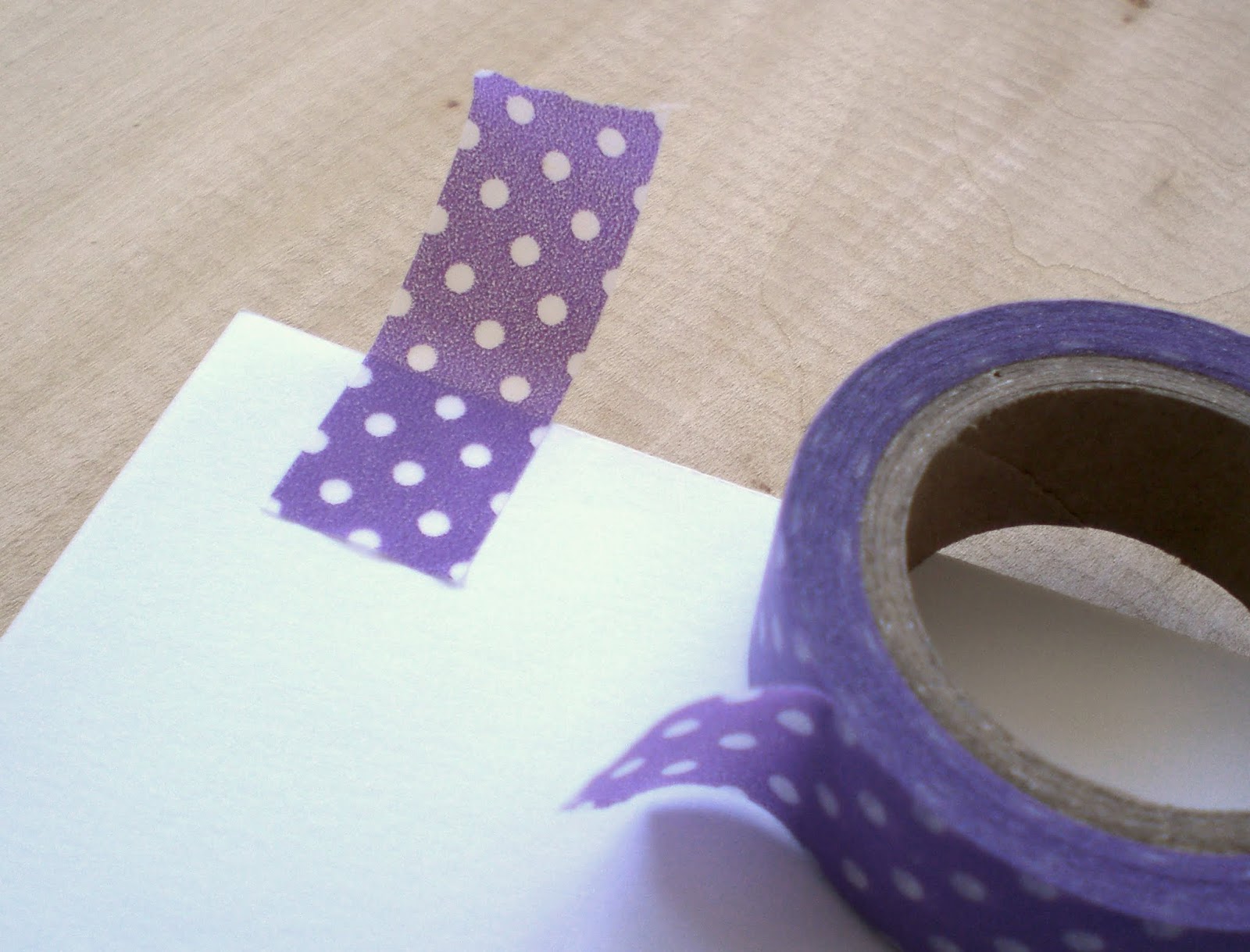
3 Simple Washi Tape Ideas

Finally got my hands on some washi tape! (Where I live they are not so easy to find).
In case you are not aware of washi tape, take a look here, there are thousands of cute things you can do with them!
Here are some ideas I came up with.


- Wrap a Pen

Super easy, go over one side of the pen with tape, then do the other side. You usually can match the pattern with the next row of tape, like this:

 Cut the extra at the ends and you´re done. The tape was peeling off a bit on mine, a little dab of glue here and there will help to keep it in place.

- Mark a noteboook

Stick some tape on a page, then fold it over itself. You can even do this on books since washi tape peels off easily.


If you are marking more pages, try to match the position of the previous tape with the new one. 


 - Wrap a tealight candle

 This was a bigger tealight, so i used 2 pieces of tape, matching the design like with the pen.


If you have extra tape hanging, make little cuts all around and stick them to the bottom of the candle.


Enjoy your "washified" objects!

8.10.13

22.9.13

Purple Frog Recommends - A Redtail's Dream

It always amazes me to find such beautiful, original and well written online graphic novels, many of which can be read completely free of charge.
One such marvelous webcomic is A Redtail's Dream, written and illustrated by Finnish/Swedish artist Minna Sundberg.

 
The story takes place in a dream world, and is infused with surrealism and Finnish mythology. We follow characters Hannu Viitanen and his faithful dog Ville in a captivating journey to escape the realm of dreams, while rescuing their fellow villagers from the machinations of a mischievous fox. 


Minna is having a crowd-funding campaign to have the comic published in printed format. It is already (not surprisingly) fully funded and has reached many of the stretch goals, but you still have about a week to grab a copy of the book, along with many other related goodies. This will probably be the only print run for the story, but the comic will stay available online. It is a great chance to support the artist and show appreciation for all the effort put into it (and, of course, then you will have the beautiful book if you choose to buy it). Head on over to the campaign page to see all the details.

Thank you Minna for sharing your art with the world so generously, and best of luck with your campaign!

31.8.13

A good tip for graphic tablet users

Have you ever noticed a mouse callus on your or a friend's hand, that indicates a little computer addiction... ? Well if you happen to be a graphics tablet user, this callus is going to be gigantic,  because you don't even have the cushioning from the mouse-pad to protect your sorry wrist!

Enters: The Old Shirt Cuff!


Yup, just like that - cut the cuff off from an old shirt and you get instant wrist protection!


Ever since I did this, I can't work without it anymore! If you don't have a shirt to cut, it should be really simple to make one with any piece of fabric or felt, even without a sewing machine!


 Ah! Much better! =)


23.8.13

Artist Spotlight - Lois van Baarle

There are so many amazing talented people I stalk on the interwebs, I decided to create an "Artist Spotlight" feature on the blog, so that you may also be impressed!

For the first of my artist spotlights, meet Lois Van Baarle, also known as Loish!


Lots of texture and vibrance, curvy girls with bubblegum-colored hair, and stylish clothes I wish I had in my wardrobe - are all part of her very unique and beautiful style!

Her pieces are very feminine and full of life! A lot of her characters look a little bit like herself, don't you think?

Many types of floating sea-life are also a recurring theme! (I think they are super-fun!)

So go check out her website, from there you can find her art for sale, and all her social media links.

I take my leave with these pics of her art process.


Lois, you are an inspiration!

18.8.13

Framed Oil Pastel Drawings

Remember all the artsy-crafty stuff i bought from Daiso? Well it was about time I put some of it to good use!


So I took those oil pastels (which i now think are just simple crayons... but it doesn't matter they are fun anyways!) and made this! It's really good to work on a "real life" traditional media piece for a change. It has that calming effect that the computer can't provide. It has been so long since I did something like this. Not being able to fix the mistakes easily (no ctrl+z on the paper...!) is also an exercise in letting go.
I had that little sketchbook just lying around, and it is the perfect size for the picture frames (also from Daiso).


Not perfect, but nice enough! It's interesting how mostly anything looks better in a frame, isn't it? Now I have to make another one for the other frame to have a set. I'm thinking a bunch of little blue flowers or something. We'll see.


 The back of the picture frames had this interesting joining piece. Is it silly that I thought this was interesting enough to take a picture and post it here? Having no glue there is more eco friendly!

7.8.13

Purple Frog Recommends - Nexus Font Manager


Are you a designer or someone who often works with fonts? Let me recommend you this font manager.
I don't know why it took me 8 years of working with graphic design to finally think: hey, I wonder if there’s an easier way of doing this. So I went digging and it has made my font related work so much faster and simpler! I have even been varying more on my choice of fonts just because I can really see what they look like, which you cannot do properly on most programs (the font samplers are too small). There are other font managers out there, some are free and some paid for, but Nexus has everything I need so for me it works great. Here is a preview from my computer.


 It has options for installing/uninstalling fonts, and apparently you don’t even need to have all those fonts installed in your computer. The site says: “while nexusfont is running, all listed fonts in NexusFont are available on other programs. Don't slow down your system by keeping hundreds of fonts installed to it”. But I don’t really use those features, what I found really useful is the tagging system. I’m a big fan of tags, since they let you organize your stuff with more than one category (as opposed to sets or files where the category is the name of the set). So for example I can have a single font tagged as “decorative,hand,slim,script” instead of just having it inside a set called “decorative” or “hand”.
Granted, it took me a whole week to organize all my fonts into the categories I created, but it was worth it! I even created a little “method” which I’m going to describe here, since someone out there might find it useful (hopefully…).

First I made 2 sets of fonts – “text” and “not text” (just a silly name to describe all the more decorative, not suitable for long reading fonts. I use these most in my work).
Then I went on to writing down all the categories I wanted to classify my “not text” fonts into. They are: angled, blackletter, bold, boxy, brushed, calligraphic, comic, cute, decorative, dingbat, distressed, fun, geometric, hand, languages, almost text, rounded, script and slim. I copied all this tags and pasted them to all my “not text” fonts, so when I organized them I was removing tags rather than adding them (I did this also because there was no way to quickly add tags just by clicking on them, you have to type them manually. Maybe something for the developers to add to a next version). I also added a tag called “uncategorized” to all the fonts, so I could stop at any time and continue the next day by turning on the filter for the “uncategorized” tag – so the program only showed those.   
Next began the long process of looking at each font and deciding which tags it belonged to (or not). This was a little boring but well, it was done once and the time I save on choosing fonts now has paid off. I just have to remember to tag the new fonts when I get them. Here’s a look at what it looks like when I turn on the filter for “distressed”.


Another nice feature is the copyright and url info that appears when you select a font (bottom left corner). This makes it super easy to check if a font has commercial use allowed.
One thing worries me though, when I tried to import the Nexus settings from my pc into the laptop I didn´t manage… it says in the readme file: “NexusFont can be run in USB memory with font files in it. Even if the drive letter is changed, all library information will be maintained”. Maybe I just need to get the hang of it. Will add it here if I figure it out.
I should also say that I was not asked or endorsed to review this program, I just enjoyed it and wanted to share.  
Thanks for reading, see you next time!